Install iCapture v3 in DHIS2
Install iCapture v3 by downloading its app package from GitHub Releases and uploading it to DHIS2.
Install from GitHub Releases
Use this method to download the installation package manually, then upload it to DHIS2. For a customised project, use its own fork's Releases page and the attached icv3.zip. See Versioning and Releases.
- Open the iCapture v3 repository: https://github.com/HISPVietnam/icapture-v3.
- Go to the Releases page:
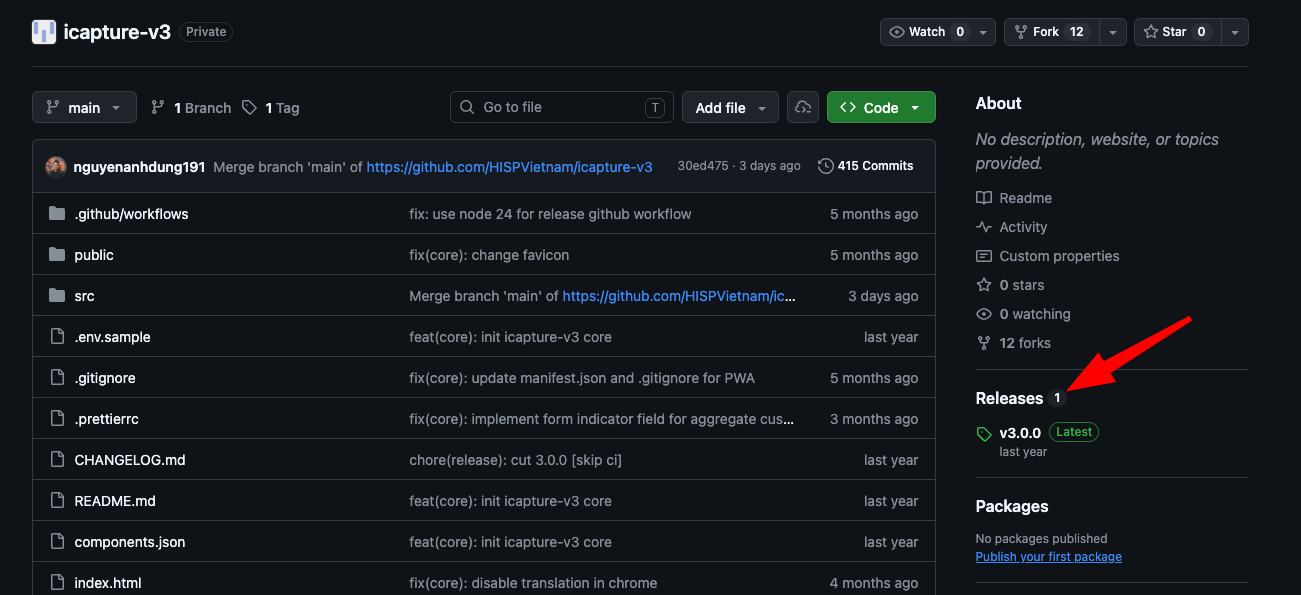
- Select the version you want to install.
- In the release assets, download the DHIS2 app package (usually a
.zipfile).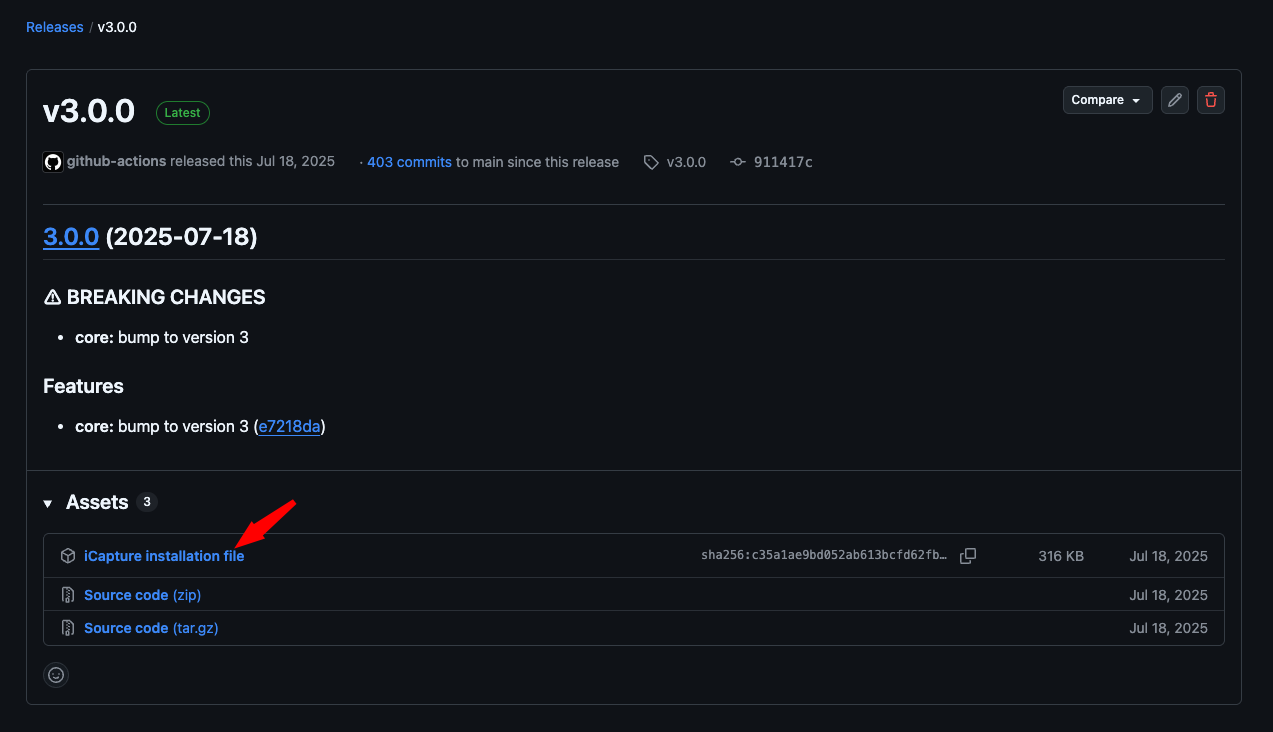
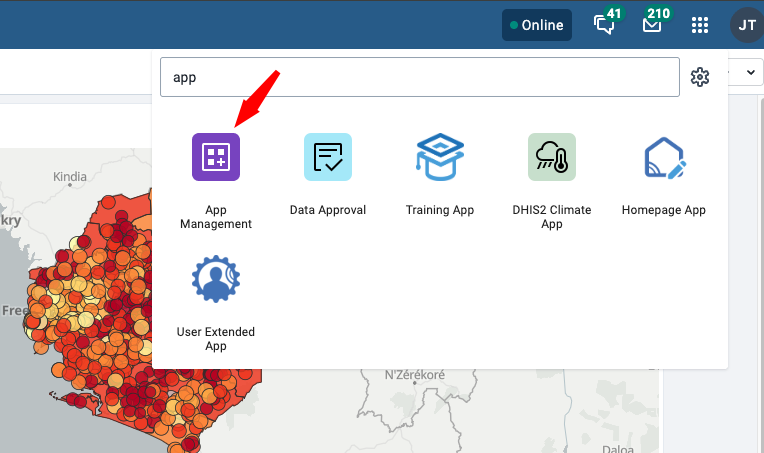
- Open your DHIS2 instance and go to App Management.
- Choose Manual install, then click Upload an app to install (or Upload app, depending on your DHIS2 version).
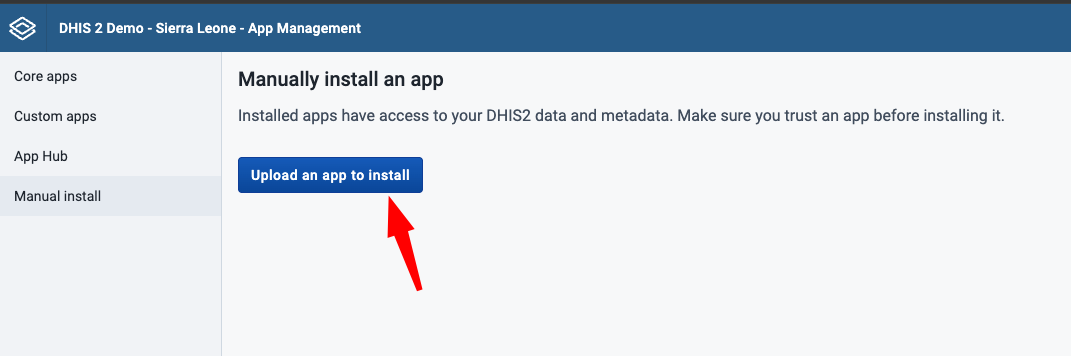
- Select the downloaded package and complete the upload.
- Wait for the installation to finish.
- Open iCapture v3 from the DHIS2 app menu to confirm the installation.
DHIS2 App Store availability
The DHIS2 App Store distribution is not available yet. Use the GitHub Releases installation method above.